Showing posts with label messages. Show all posts

Saturday, 15 November 2014

Visualforce, Required Fields and HTML5

A few weeks ago I encountered some unexpected behaviour around action regions and required fields which after some investigation turned out to be a consequence of using the HTML5 doctype. In this post I’ll present an example of the use of an action region in conjunction with required fields and show how it is impacted by HTML5.

Regular Form

As a very simple example, I have a page that allows the user to enter the name of an account and some additional information in a table.  The user can click the ‘Add Row’ button to add a new row to the additional information:

Screen Shot 2014 09 27 at 08 07 03

The markup for this page is a regular apex:form (the controller isn’t relevant to this post, but is available in the Resources section at the end of this post):

<apex:page controller="RequiredCtrl" tabstyle="Account">
  <apex:pageMessages id="msgs"/>
  <apex:form>
    <apex:pageBlock mode="maindetail">
      <apex:pageBlockButtons location="top">
        <apex:commandButton value="Save" action="{!save}" />
      </apex:pageBlockButtons>
      <apex:pageBlockSection title="Account Information">
        <apex:pageBlockSectionItem>
          <apex:outputlabel value="Name"/>
          <apex:inputfield value="{!Acc.Name}" />
        </apex:pageBlockSectionItem>
      </apex:pageBlockSection>
      <apex:pageBlockSection title="Related Information" columns="1">
        <apex:pageBlockSectionItem>
          <apex:commandButton value="Add Row" action="{!addRow}"/>
        </apex:pageBlockSectionItem>
        <apex:pageBlockTable value="{!rows}" var="row">
          <apex:column headerValue="Value 1">
            <apex:inputText value="{!row.val1}" />
          </apex:column>
          <apex:column headerValue="Value 2">
            <apex:inputText value="{!row.val1}" />
          </apex:column>
          <apex:column headerValue="Value 3">
            <apex:inputText value="{!row.val3}" />
          </apex:column>
        </apex:pageBlockTable>
      </apex:pageBlockSection>
    </apex:pageBlock>
  </apex:form>
</apex:page>

Clicking the 'Add Row’ button causes the post back to fail as there is a required field missing:

Screen Shot 2014 09 27 at 07 51 34

Adding an Action Region

An action region demarcates a limited section of the form to submit back with the post back. Note that this also requires a rerender component to turn the post back into an Ajax request.  By enclosing my table in an output panel containing an action region, the required field no longer has an impact as it is outside the action region (note that I’m also rerendering my page messages component, as without that any errors will be swallowed as detailed in this post):

<apex:outputPanel id="rows">
  <apex:actionRegion>
    <apex:pageBlockSection title="Related Information" columns="1">
      <apex:pageBlockSectionItem>
        <apex:commandButton value="Add Row" action="{!addRow}" rerender="rows,msgs"/>
      </apex:pageBlockSectionItem>
     ...
    </apex:pageBlockSection>
  </apex:actionRegion>
</apex:outputPanel>

I can now click the ‘Add Row’ button and a new row is generated without errors:

Screen Shot 2014 09 27 at 08 00 34

Using the HTML5 Doctype

If I then decide I’d like to take advantage of some HTML5 features and turn on the HTML5 doctype on the page:

<apex:page controller="RequiredCtrl" tabstyle="Account" doctype="html-5.0">
  ...
</apex:page>

Clicking the ‘Add Row’ button suddenly fails again, but with a different style of error decorator:

Screen Shot 2014 09 27 at 08 01 32

Digging into the rendered HTML shows that an HTML5 specific attribute has been generated:

<input id="..." required="required" size="20" type="text" value="">

this attribute is handled directly by the browser, which obviously has no idea that there is a bunch of JavaScript lying in wait to trap the post back and turn it into an Ajax request, so it just checks the input element and blocks the post back if it is blank.

immediate=“true"

 The same behaviour can be seen when the immediate attribute is set to true for a command button, action function etc., for exactly the same reasons described above.

Workarounds

  • The easiest workaround, if you aren’t relying on any HTML5 features, is to turn off the HTML5 doctype.
  • If you need HTML5 features, make the field non-required by specifying the required attribute as false in your Visualforce markup if you can (you can’t do this with standard object names unfortunately)
  • Manage validation and error messages yourself - see the Field Level Error Messages … links in the Resources section.
  • If neither of the above are suitable, use JavaScript to remove the required attribute from the rendered HTML. This is pretty fragile though, as it requires your JavaScript to know which fields are part of an action region and which aren’t.

Resources

Sunday, 5 October 2014

London Salesforce Admins - First Awesome Meetup

The inaugural meetup of the London Salesforce Admins community (with an excellent turnout for the first event) took place on Thursday 2nd October at Dotmailer’s London offices - a great space overlooking London Bridge and the River Thames.

After some welcome drinks and networking, Matt Morris kicked things off with a short talk on the format and content for the evening:

Mm

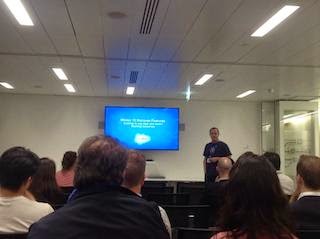
The first talk was a comprehensive look at the GA features of Winter 15 from Mike Gill:

Ag

after a short break for “refreshments” (beer!) and some more networking, we were back for Francis’ Five Minute Feature with Francis Pindar, showing how to create images using formula fields:

Fp

and finally on the formal talks, Winter 15 hidden gems from Chris Edwards, giving a heads up on some of the pilot/beta features in the new release that will hopefully make it to GA before too long:

Ce

The presenting side of the evening was then wrapped up with the Open Mike session (so called as its hosted by Mike Gill!), where anyone can step up and talk for a couple of minutes on a subject of their choosing. If you’ve been wanting to take the plunge in public speaking but have been nervous of a length session, this is a great way to get your feet wet.

I spoke to a number of people during the subsequent networking and the consensus was that the organisers have found a definite gap to fill - the Salsforce User Group is quite high level and user-oriented, while the London Salesforce Developers tends to be focused on code  rather than clicks. 

The next meetup is on Thursday November 6th, and will no doubt have some news and features from Dreamforce, so if you are working as (or want to work as) a Salesforce Adminstrator in the London area make sure to add it to your diary.

On a related note, the October meetup of the London Salesforce Developers has been cancelled as it was scheduled a little close to Dreamforce, but we’re back in November.

Friday, 12 September 2014

Slick Salesforce1 Messages with Alertify

[As I was checking my references and links etc for this post, Fabien updated the home page to indicate that he will no longer be maintaining alertify. I'll continue to use it as it does everything I need and (so far) I haven't encountered any problems with it. Thanks for everything you’ve done Fabien - its a great tool]

In a few of my recent posts around Salesforce1, I’ve made use of the alertify JavaScript library by Fabien Doiron to display animated success/failure/info messages to users. This is such a useful library I’ve decided its worthy of a post and example page all of its own.

While regular Visualforce page messages are a great way to communicate information to the user, when you move to Visualforce remoting in order to provide a more reactive user interface in the Salesforce1 mobile application, a different mechanism needs to be found.  Regular JavaScript alerts can be used, but these are somewhat old-fashioned and provide a less than app-like experience.

Alertify provides styling and animation via a small amount of JavaScript and CSS. The minified library weighs in at a svelte 8Kb, plus an additional 7-8Kb for the CSS, depending on which theme is chosen. I won’t go into full details of alertify, in terms of configuration/options etc, as there is plenty of information and live examples on the home page

In order to use alertify, download the zip from the home page and upload this as a static resource - I always include the version in the zip file name so that I can serve multiple versions from the same Salesforce instance:

Screen Shot 2014 09 12 at 08 31 06

In order to demonstrate alertify, I’ve put together a simple ‘Check In’ Visualforce page for use as a custom publisher action - this captures the user’s current location and any details they care to add, creates a custom Check In record and posts this to the user’s chatter feed.  As always when I build Salesforce1 publisher actions, I’m using the Bootstrap frameworkalertfy, which I’ve also uploaded as a static resource:


alertify provides a bootstrap theme, so the alerts will match the bootstrap standard colours for warning/info messages etc. To use alertify in my Visuaforce page, I simply include the JavaScript and CSS: 

 
<apex:stylesheet value="{!URLFOR($Resource.alertify,
      'alertify.js-0.3.11/themes/alertify.core.css')}"/>
<apex:stylesheet value="{!URLFOR($Resource.alertify,
      'alertify.js-0.3.11/themes/alertify.bootstrap.css')}"/>
<apex:includeScript value="{!URLFOR($Resource.alertify_0_3_11,
      'alertify.js-0.3.11/lib/alertify.min.js')}"/>

 I then make one small change to the styling to display the alerts half way down the page:

<style>
  .alertify-logs {
      top: 150px;
      right: 10px;
  }
</style>

Once the user has filled in the form and clicked the ‘Submit’ button, the Visualforce remote action is executed and the if successful, a success message is displayed to the user:

alertify.success('Check In Completed');

if, on the other hand, an the checkin fails, an error message is displayed

alertify.error('Checkin failed : ' + result);

similarly, if there is a remoting error:

alertify.error('Remoting error : ' + event.message);

Screenshots don’t really do alertify justice, so I’ve recorded a short video showing the check in in action:

I’ve added this demo functionality to the SF1Utils Github repository - click on on the following links to view the controller and page 

Saturday, 12 January 2013

Send SMS Messages from Force.com

One of the app exchange offerings of my company, BrightGen, is BrightSMS. This is a free app that allows the sending of single or bulk SMS messages to UK or international numbers - you only pay for the messages that you send.

Earlier versions of BrightSMS provided functionality to send SMS messages from Visualforce pages, based on the user typing the message in and selecting a mobile number/contact/lead as the message recipient.   Version 3.0 introduces support for sending SMS from @future methods, which means that messages can be sent from triggers when record details change.

Getting Started

Installation and setup is covered in the Installation Guide.  Once you have installed the package, follow the User Guide to register an account.  The first account you register in your Salesforce org gets 10 free messages.  Note that the account is tied to a mobile phone number and you can only register a number once - so the 10 free messages is a single shot deal.  Once I've been through the installation I usually send myself an SMS through the packaged pages to confirm its all working.

The Code

My example trigger is on the case sobject, and sends an SMS to the contact associated with the case when the status changes, as long as the contact has supplied a mobile phone number. 

trigger Case_au on Case (after update)
{
	List<Id> caseIdsToSMS=new List<Id>();

	// get the contact ids
	Set<Id> contactIds=new Set<Id>();
	for (Case cs : trigger.new)
	{
		if (null!=cs.contactId)
		{
			contactIds.add(cs.contactId);
		}
	}
	
	Map<Id, Contact> contsById=new Map<Id, Contact>();
	contsById.putAll([select id, MobilePhone from Contact where id in:contactIds]);

	// pull back the contact and check the mobile number is supplied
	
	for (Case cs : trigger.new)
	{
		if (null!=cs.ContactId)
		{
			Contact cnt=contsById.get(cs.ContactId);
			if ( (cs.Status != trigger.oldMap.get(cs.id).Status) &&
		    	 ( (null!=cnt.MobilePhone) && (cnt.MobilePhone.length()>0) )
		   	)
			{
				caseIdsToSMS.add(cs.id);
			}
		}
	}
	
        // delegate to a future method, as callouts aren't allowed in triggers
	CaseUtils.SendCaseUpdatedSMS(caseIdsToSMS);
}

and the future method that sends the SMS:

public with sharing class CaseUtils
{
    @Future(callout=true)
    public static void SendCaseUpdatedSMS(list<Id> csIds)
    {
	for (Case cs : [Select CaseNumber, Contact.MobilePhone, Contact.FirstName, Contact.LastName, Status from Case where Id IN : csIds] )
	{
	BG_SMS.BrightSMSSubmitSMSMessage bsms = new BG_SMS.BrightSMSSubmitSMSMessage();
		bsms.brightSmsAccountId = 'AccountIdGoesHere';
		bsms.rateCode = '1';
		bsms.senderID = 'BrightGen';
		bsms.mobileNumber = cs.Contact.MobilePhone.trim();
		bsms.smsMessage = 'Hi ' + cs.Contact.FirstName +
				  ', Just to let you know the status of your case {' +
				  cs.CaseNumber +
				  '} has been changed to ' +
				  cs.Status;
		bsms.submitSMSMessage();
   	}
    }
}

Replace AccountIdGoesHere with the id of the SMS account that you registered in the Getting Started session.  The senderId will be displayed as the sender of the SMS, so replace this with something specific to you or your company.  Finally, the smsMessage contains the message text that will be sent.  BrightSMS allows you to send up to a maximum of 459 characters, but these will be sent as 3 individual SMS messages, as the maximum individual SMS message size is 153 characters.

Note that as there are a limit of 10 callouts per transaction, if there are more than 10 case updates to be sent, this code will produce an error.  If you have a large amount of messages to send on a regular basis, its better to use Batch Apex and split the processing up into multiple transactions.

Sending Messages

First up, I create a contact in my org and supply a mobile number (note, this is not my real mobile number):


Screen Shot 2013 01 12 at 11 14 16


I then create a case and associate my contact record with it:

Screen Shot 2013 01 12 at 11 18 23


If the status of the case is then changed from New to Working, I automatically receive an SMS informing me of the change:

IMG 0705


Saturday, 11 August 2012

The Importance of Page Messages

This week's blog is inspired by a lengthy thread that I was involved in on the Visualforce Discussion Board.  This concerned an action method tied to an onchange event not being called.  I was able to track down what the problem was thanks to the <apex:pageMessages/> component, which displays all error messages associated with the page.

Here's an example of how this component can help track down problems when rerendering parts of a page.  The following page simply presents a button to invoke an action method that increments the counter:

<apex:page controller="PageMessages">
  <apex:form >
    <apex:pageBlock title="Page Messages Test 1">
      <apex:pageBlockButtons >
         <apex:commandButton value="Click Me" action="{!click}" rerender="counter"/>
      </apex:pageBlockButtons>
      <apex:outputLabel value="Count  = " />
      <apex:outputText value="{!countVal}" id="counter"/>
    </apex:pageBlock>
  </apex:form>
</apex:page>

The controller contrives to produce an error rather than increment the counter:

public with sharing class PageMessages {
 public Integer countVal {get; set;}
 private Boolean fakeError=true;
 
 public PageMessages()
 {
  countVal=1;
 }
 
 public void click()
 {
  if (fakeError)
  {
   ApexPages.addMessage(new ApexPages.Message(ApexPages.Severity.ERROR, 'Fake Error'));
  }
  else
  {
   countVal++;
  }
 }
}

The page when rendered is as follows:


Opening the page in a browser window: and clicking the 'Click Me' button results in no change to the count value, and as the rerender attribute turns the command into an AJAX request, it looks like clicking the button has no effect whatsoever.  In this case I can turn on debug logging and see that an error message is being added to the page:

14:37:19.021 (21244000)|CODE_UNIT_STARTED|[EXTERNAL]|01p80000000cOqp|PageMessages invoke(click)
14:37:19.021 (21302000)|HEAP_ALLOCATE|[EXTERNAL]|Bytes:6
14:37:19.021 (21322000)|HEAP_ALLOCATE|[EXTERNAL]|Bytes:524
14:37:19.021 (21338000)|METHOD_ENTRY|[1]|01p80000000cOqp|PageMessages.PageMessages()
14:37:19.021 (21345000)|STATEMENT_EXECUTE|[1]
14:37:19.021 (21357000)|SYSTEM_MODE_ENTER|false
14:37:19.021 (21370000)|HEAP_ALLOCATE|[EXTERNAL]|Bytes:5
14:37:19.021 (21376000)|STATEMENT_EXECUTE|[1]
14:37:19.021 (21385000)|SYSTEM_MODE_EXIT|false
14:37:19.021 (21394000)|METHOD_EXIT|[1]|PageMessages
14:37:19.021 (21443000)|SYSTEM_MODE_ENTER|false
14:37:19.021 (21450000)|HEAP_ALLOCATE|[12]|Bytes:5
14:37:19.021 (21456000)|STATEMENT_EXECUTE|[11]
14:37:19.021 (21465000)|STATEMENT_EXECUTE|[13]
14:37:19.021 (21469000)|STATEMENT_EXECUTE|[14]
14:37:19.021 (21612000)|HEAP_ALLOCATE|[14]|Bytes:10
14:37:19.021 (21689000)|SYSTEM_METHOD_ENTRY|[14]|ApexPages.addMessage(ApexPages.Message)
14:37:19.021 (21697000)|ENTERING_MANAGED_PKG|
14:37:19.021 (21728000)|VF_PAGE_MESSAGE|Fake Error
14:37:19.021 (21738000)|SYSTEM_METHOD_EXIT|[14]|ApexPages.addMessage(ApexPages.Message)
14:37:19.021 (21746000)|SYSTEM_MODE_EXIT|false
14:37:19.021 (21775000)|CODE_UNIT_FINISHED|PageMessages invoke(click)

Its a lot easier just to add an <apex:pagemessages/> component to the page and rerender that as well:

<apex:page controller="PageMessages">
  <apex:pageMessages id="msgs"/>
  <apex:form >
    <apex:pageBlock title="Page Messages Test 1">
      <apex:pageBlockButtons >
         <apex:commandButton value="Click Me" action="{!click}" rerender="counter,msgs"/>
      </apex:pageBlockButtons>
      <apex:outputLabel value="Count  = " />
      <apex:outputText value="{!countVal}" id="counter"/>
    </apex:pageBlock>
  </apex:form>
</apex:page>

which displays the error upon clicking the button:


Another scenario where its pretty much impossible to locate the problem without an  <apex:pageMessages/> component is where there is a required field on the page:

<apex:page controller="PageMessages">
  <apex:pageMessages id="msgs"/>
  <apex:form >
    <apex:pageBlock title="Page Messages Test 1">
      <apex:pageBlockButtons >
         <apex:commandButton value="Click Me" action="{!click}" rerender="counter,msgs"/>
      </apex:pageBlockButtons>
      <apex:outputLabel value="Text1 = " />
      <apex:inputText value="{!text}" required="true"/>
      <br/>
      <apex:outputLabel value="Count = " />
      <apex:outputText value="{!countVal}" id="counter"/>
    </apex:pageBlock>
  </apex:form>
</apex:page>

This time the controller doesn't fake an error, the counter value is simply updated:

public with sharing class PageMessages {
 public Integer countVal {get; set;}
 public String text {get; set;}
 
 public PageMessages()
 {
  countVal=1;
 }
 
 public void click()
 {
  countVal++;
 }
}

As the required component isn't an <apex:inputField/>, there is no decoration of the element to indicate that it is required.  Clicking the 'Click Me' button once again appears to do nothing.


Checking the log this time reveals nothing that can help.  The click method simply isn't being called:

25.0 APEX_CODE,FINEST;APEX_PROFILING,INFO;CALLOUT,INFO;DB,INFO;SYSTEM,DEBUG;VALIDATION,INFO;VISUALFORCE,INFO;WORKFLOW,INFO
15:06:55.036 (36399000)|EXECUTION_STARTED
15:06:55.036 (36462000)|CODE_UNIT_STARTED|[EXTERNAL]|06680000000Tmbw|VF: /apex/kab_tutorial__PageMessage1
15:06:55.046 (46438000)|CODE_UNIT_STARTED|[EXTERNAL]|01p80000000cOqp|PageMessages <init>
15:06:55.046 (46470000)|SYSTEM_MODE_ENTER|true
15:06:55.047 (47466000)|HEAP_ALLOCATE|[EXTERNAL]|Bytes:8
15:06:55.047 (47490000)|HEAP_ALLOCATE|[EXTERNAL]|Bytes:552
15:06:55.047 (47513000)|METHOD_ENTRY|[1]|01p80000000cOqp|PageMessages.PageMessages()
15:06:55.047 (47539000)|STATEMENT_EXECUTE|[1]
15:06:55.047 (47659000)|SYSTEM_MODE_ENTER|false
15:06:55.047 (47678000)|HEAP_ALLOCATE|[EXTERNAL]|Bytes:5
15:06:55.047 (47694000)|STATEMENT_EXECUTE|[1]
15:06:55.047 (47707000)|SYSTEM_MODE_EXIT|false
15:06:55.047 (47720000)|METHOD_EXIT|[1]|PageMessages
15:06:55.047 (47763000)|VARIABLE_SCOPE_BEGIN|[5]|this|KAB_TUTORIAL.PageMessages|true|false
15:06:55.047 (47808000)|HEAP_ALLOCATE|[EXTERNAL]|Bytes:12
15:06:55.047 (47845000)|HEAP_ALLOCATE|[EXTERNAL]|Bytes:12
15:06:55.047 (47889000)|VARIABLE_ASSIGNMENT|[5]|this|{}|0x549e58c6
15:06:55.047 (47910000)|SYSTEM_MODE_ENTER|false
15:06:55.047 (47921000)|HEAP_ALLOCATE|[2]|Bytes:5
15:06:55.047 (47935000)|STATEMENT_EXECUTE|[1]
15:06:55.047 (47944000)|HEAP_ALLOCATE|[2]|Bytes:5
15:06:55.047 (47956000)|STATEMENT_EXECUTE|[2]
15:06:55.047 (47974000)|STATEMENT_EXECUTE|[3]
15:06:55.047 (47991000)|STATEMENT_EXECUTE|[6]
15:06:55.048 (48000000)|STATEMENT_EXECUTE|[7]
15:06:55.048 (48042000)|METHOD_ENTRY|[7]|01p80000000cOqp|KAB_TUTORIAL.PageMessages.__sfdc_countVal(Integer)
15:06:55.048 (48098000)|HEAP_ALLOCATE|[2]|Bytes:12
15:06:55.048 (48122000)|HEAP_ALLOCATE|[2]|Bytes:12
15:06:55.048 (48142000)|VARIABLE_ASSIGNMENT|[-1]|this|{}|0x549e58c6
15:06:55.048 (48155000)|HEAP_ALLOCATE|[2]|Bytes:8
15:06:55.048 (48190000)|VARIABLE_ASSIGNMENT|[-1]|value|1
15:06:55.048 (48205000)|HEAP_ALLOCATE|[2]|Bytes:8
15:06:55.048 (48231000)|VARIABLE_ASSIGNMENT|[2]|this.countVal|1|0x549e58c6
15:06:55.048 (48260000)|METHOD_EXIT|[7]|01p80000000cOqp|KAB_TUTORIAL.PageMessages.__sfdc_countVal(Integer)
15:06:55.048 (48275000)|SYSTEM_MODE_EXIT|false
15:06:55.048 (48292000)|CODE_UNIT_FINISHED|PageMessages <init>
15:06:55.048 (48814000)|VF_SERIALIZE_VIEWSTATE_BEGIN|06680000000Tmbw
15:06:55.050 (50548000)|VF_SERIALIZE_VIEWSTATE_END
15:06:55.440 (54027000)|CUMULATIVE_LIMIT_USAGE
15:06:55.440|LIMIT_USAGE_FOR_NS|KAB_TUTORIAL|
  Number of SOQL queries: 0 out of 100
  Number of query rows: 0 out of 50000
  Number of SOSL queries: 0 out of 20
  Number of DML statements: 0 out of 150
  Number of DML rows: 0 out of 10000
  Number of script statements: 3 out of 200000
  Maximum heap size: 0 out of 6000000
  Number of callouts: 0 out of 10
  Number of Email Invocations: 0 out of 10
  Number of fields describes: 0 out of 100
  Number of record type describes: 0 out of 100
  Number of child relationships describes: 0 out of 100
  Number of picklist describes: 0 out of 100
  Number of future calls: 0 out of 10

15:06:55.440|CUMULATIVE_LIMIT_USAGE_END

15:06:55.054 (54063000)|CODE_UNIT_FINISHED|VF: /apex/kab_tutorial__PageMessage1
15:06:55.054 (54077000)|EXECUTION_FINISHED

In fact what has happened is the client side validation has failed and the page is simply redrawn. However, at this point its very easy to start doubting your code and rewriting it randomly - especially if its more complex than my simple example.  Simply adding an <apex:pageMessages/> component that is rerendered avoids all this:

<apex:page controller="PageMessages">
  <apex:pageMessages id="msgs"/>
  <apex:form >
    <apex:pageBlock title="Page Messages Test 1">
      <apex:pageBlockButtons >
         <apex:commandButton value="Click Me" action="{!click}" rerender="counter,msgs"/>
      </apex:pageBlockButtons>
      <apex:outputLabel value="Text1 = " />
      <apex:inputText value="{!text}" required="true"/>
      <br/>
      <apex:outputLabel value="Count = " />
      <apex:outputText value="{!countVal}" id="counter"/>
    </apex:pageBlock>
  </apex:form>
</apex:page>

Clicking the button this time shows the validation error.


As an aside,  due to the required element not being an <apex:inputField/>, the error message is not particularly helpful.  For details on how to improve this, take a look at one of my older posts.