Showing posts with label html. Show all posts

Sunday, 14 May 2023

Light DOM Scoped Slots in Summer 23

Introduction

It's that time again - another Salesforce release is a few weeks away, the preview release notes are out, and preview scratch orgs can be spun up to try out some of the new features. There's a few changes around Lightning Components in the upcoming release, and the first one that caught my eye was the concept of scoped slots, made possible by the general availability of the light DOM.

The light DOM is what we used to call the DOM before web components came along - the standard Document Object Model representing the structure of a web page that is visible and accessible to any JavaScript that cares to look. The light aspect comes from the fact that web components by default use shadow DOM - a hidden DOM structure attached to the regular DOM that only the component can see. 

Scoped slots are an inversion of the usual slot behaviour seen with Lightning Web Components. The standard case allows a parent component to pass markup into a child component to render in specific locations. Scoped slots turns this on its head and allows child components to pass information up to parent components that can be rendered in a specific slot. All of which sounds very cool, but at first glance it seemed a solution looking for a problem. The example in the release notes didn't do much to change this view, as they showed a child iterating a list and the parent rendering the contents of the list item. Given that the parent can iterate the list just as easily as the child, I couldn't see the value that was added.

One thing I've found with Lightning Web Components is a lot of the new features have equivalents in another JavaScript framework - Vue.js seems to be the prime candidate at the moment, and sure enough there's the concept of scoped slots there. Unfortunately the various blogs that I read on this topic didn't help my understanding enormously - when you aren't familiar with the framework then the examples aren't always helpful. What I did take away from this is the value in scoped slots is to separate the generation of the data from the rendering, so that it is available for re-use. The release notes example didn't really provide this as the list iteration is the same regardless of whether you do it in the parent or child, so I needed to figure out another use case.

The Sample

Simple list iteration is easy, but what about the case where I have a JavaScript object created from an Apex Map and want to iterate that? I can't do this in markup, instead I have to create a list of properties from the object. This feels like a situation where a child component that can handle any conversion and iteration required and simply send the properties back to the parent. 

My component that handles this is called mapIterator, and when it receives an object via an @api property, it creates a list from it:

set objMap(value) {
    this._objMap=value;
    if (this._objMap) {
        this.values=[];
        for (let key in this._objMap) {
            this.values.push(this._objMap[key]);
        }
    }
}

and the HTML markup simply iterates this and makes each entry available to the parent via the lwc:slot-bind directive, remembering to render in light DOM mode:

<template lwc:render-mode="light"> 
    <template for:each={values} for:item="value">
        <slot key={value} lwc:slot-bind={value}></slot>
    </template>
</template>

I have several parent components that make use of this - one to generate a simple list of accounts, one to generate a list of account cards, and one to generate a list of opportunity cards. The mapIterator provides the conversion and iteration of the object properties to each of this with no changes required. You can find all of these at the Github repository, but here's the markup from the simple list :

<c-map-iterator obj-map={accountsMap}>
    <template lwc:slot-data="value">
        <div class="slds-p-left_small slds-p-bottom_xx-small">
            <strong>ID:</strong> {value.Id}
        </div>
        <div class="slds-p-left_large slds-p-bottom_small">
            <strong>Name:</strong>{value.Name}
        </div>
    </template>
</c-map-iterator>

Access to the element from the iterator is provided by the lwc:slot-data directive, and as you can see the parent handles all the presentation side of things.

Conclusion

There is definite value here in separating the conversion/iteration from the rendering of the content. That said, I think you might run into issues if you are rendering the iterated elements using markup that must be a direct descendant of a containing element. In that case you won't be able to separate everything, as you get the child element markup in the way. I think there you'd likely need specialisations of the iterator that also renders the container, which won't feel quite as clean.


More Information


Sunday, 5 August 2018

Putting Your TBODY on the Line

Putting Your TBODY on the Line

Table

Introduction

This week I’ve been working on a somewhat complex page built up from a number of Lightning components. One of the areas of the page is a table showing the paginated results of a query, with various sorting options available from the headings, and a couple of summary rows at the bottom of the page. The screenshot below shows the last few rows, the summary info and the pagination buttons.

Screen Shot 2018 08 04 at 17 34 06

The markup for this is of the following format:

<table>
<thead>
<tr>
<aura:iteration ...>
<th> _head_ </th>
</aura:iteration ...>
<tr>
</thead>
<tbody>
<tr>
<aura:iteration ...>
<td> _data_ </td>
</aura:iteration ...>
</tr>
...
<tr>
<td>_summary_</td>
<td>_summary_</td>
</tr>
<tr>
<td>_summary_</td>
<td>_summary_</td>
</tr>
</tbody>
</table>

So pretty much a standard HTML table with a couple of aura:iteration components to output the headings and rows. Obviously there’s a lot more to it than this, and styling etc, but for the purposes of this post those are the key details.

The Problem

Once I’d implemented the column sorting (and remembered that you need to return a value from an inline sort function, otherwise it’s deemed to mean that all the elements are equal to each other!), I was testing by mashing the column sort buttons and after a few sorts something odd happened:

Screen Shot 2018 08 04 at 17 35 10

The values inserted by the aura:iteration were sandwiched in between the two summary rows that should appear at the bottom.  I refreshed the page and tried again and this time it got a little worse:

Screen Shot 2018 08 04 at 17 33 32

This time the aura:iteration values appeared below both summary rows. I tested this on Chrome and Firefox and the behaviour was the same for both browsers. 

The Workaround

I’ve hit a few issues around aura:iteration in the past, although usually it’s been the body of that components rather than the surround ones, and I recalled that often the issue could be solved by separating the standard Lightning components with regular HTML. I could go with <tfoot>, but according to the docs this indicates that if the table is printed the summary rows should appear at the end of each page, which didn’t seem quite right.

I already had a <tbody>, but looking at the docs a table can have multiple <tbody> tags, to logically separate content, so another one of these sounded exactly what I wanted. Moving the summary rows into their own “section” as follows:

<table>
<thead>
<tr>
<aura:iteration ...>
<th> _head_ </th>
</aura:iteration ...>
<tr>
</thead>
<tbody>
<tr>
<aura:iteration ...>
<td> _data_ </td>
</aura:iteration ...>
</tr>
...
</tbody>
<tbody>
<tr>
<td>_summary_</td>
<td>_summary_</td>
</tr>
<tr>
<td>_summary_</td>
<td>_summary_</td>
</tr>
</tbody>
</table>

worked a treat. Regardless of how much I bounced around and clicked the headings, the summary rows remained at the bottom of the table as they were supposed to.

I haven’t been able to reproduce this with a small example component - it doesn’t appear to be related to the size of the list backing the table as I’ve tried a simple variant with several thousand members and the summary rows stick resolutely to the bottom fo the table. Given that I have a workaround I’m not sure how much time I’ll invest in digging deeper, but if I do find anything you’ll read about it here.

Related Posts


Tuesday, 26 November 2013

Freezing Users from Visualforce

One of the new features in the Winter 14 release of Salesforce is the ability to freeze a user, which stops them logging into the system.  The Salesforce help points towards using this functionality when you would like to deactivate a user but additional work is required as the user is part of other configuration, as the default lead owner for example.  This is one use for this functionality, but another occurred to me based on work that I carried out about 20 years ago.

In a former life I used to build deal capture and risk management systems for investment banks.  A requirement of many of the banks was that traders had to take a two-week holiday every year and had to be locked out of all systems for the entire two weeks  The thinking behind this was that if the trader had something to hide, it was likely to surface during this two-week period when they couldn’t take any action to cover it up. 

Freezing users is therefore a great fit for temporarily disabling a user’s access to the system, with the intention of re-instating their access after a period of time.  The downside to the feature is that it can only be accessed from the user record, which means that an administrator has to click into individual user accounts to freeze or unfreeze them. This is fine for the odd user, but becomes time-consuming when it has to be done on a regular basis for a number of users.  

After digging through the Apex Developer’s Guide and experimenting with the execute anonymous element of the developer console it quickly became clear that I couldn’t freeze a user in Apex.  Searching the SOAP API Developer’s Guide proved more productive when I came across the UserLogin object and its associated IsFrozen field.  While this still mean that I couldn’t use Apex, the SOAP API is accessible via the Ajax Toolkit which I can use from a Visualforce page.

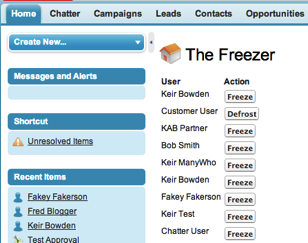
It was then short work to create The Freezer - a Visualforce page to output all usernames present in the system and allow them to be frozen/defrosted at the click of a button.  The page is shown below:

Screen Shot 2013 11 03 at 17 49 39

clicking on the Freeze button next to the Customer User pops a dialog to detail the action being taken:

Screen Shot 2013 11 03 at 17 50 00

and a further popup displays the results:

Screen Shot 2013 11 03 at 17 50 14

before the page refreshes itself and displays the Defrost button for the Customer User:

Screen Shot 2013 11 03 at 17 50 26

and just to prove there’s no trickery, here’s the Customer User record with the Unfreeze button present:

Screen Shot 2013 11 03 at 17 51 14

The functionality is provided by a couple of JavaScript functions. The getUserInfo() pulls back all the UserInfo records in the system and stores them in the equivalent of a Map keyed by user id.  It then retrieves all of the active user records in the system, and dynamically builds the table of users including the action buttons:

 
function getUserInfo()
    {
      var userInfoById = {};
    
      var result = sforce.connection.query(
          "Select Id, UserId, IsFrozen, IsPasswordLocked From UserLogin order by UserId");
 
      var it = new sforce.QueryResultIterator(result);
 
      while(it.hasNext())
      {
         var record = it.next();
 
         userInfoById[record.UserId] = record;
      }
      
      
      var output='<table><tr><th>User</th><th>Action</th></tr>';
      
      result = sforce.connection.query(
          "Select Id, FirstName, LastName from User where IsActive=true");
 
      it = new sforce.QueryResultIterator(result);
 
      while(it.hasNext())
      {
        var record = it.next();
        
        if (record.Id in userInfoById)
        {
          var userInfo=userInfoById[record.Id];
          var name=record.FirstName + ' ' + record.LastName;
          output+='<tr><td>' + name + '</td><td>';
          if (userInfo.IsFrozen=='true')
          {
            output+="<button onclick=\"freeze('" + userInfo.Id + "', '" + name + "', false);\">Defrost</button>";
          }
          else
          {
            output+="<button onclick=\"freeze('" + userInfo.Id + "', '" + name + "', true);\">Freeze</button>";
          }
          output+='</td></tr>';
        }
      }
      
      output+='</table>';
      
      document.getElementById('output').innerHTML=output;
    }
  

The freeze function updates the UserLogin for the selected user to freeze or defrost them:

function freeze(id, name, freezerState)
  {
    alert("Freezing " + name);
    var userlogin = new sforce.SObject("UserLogin");
    userlogin.Id = id;
    userlogin.IsFrozen = freezerState;
    var result = sforce.connection.update([userlogin]);
 
    if (result[0].getBoolean("success")) {
        alert(name + " " + (freezerState?'frozen':'defrosted'));
    } else {
        alert("failed to " + name + " " + result[0]);
    }
    
    window.location.reload();
  }

The code is pretty basic - there’s not much error handling and it is unlikely to scale when there are a large number of users, but those elements are left as an exercise for the avid student. You can access the full page at this gist.


Saturday, 30 June 2012

HTML Comments in Visualforce Pages

After seeing the presentation from Wes Nolte at Cloudstock London, I've been playing around with knockout.js in my spare time over the last couple of weeks and am very impressed.  I've been building some apps using JQuery Mobile and an area of concern has been the way that I've been striping HTML through javascript functions in order to update page sections with the latest data - using knockout.js I don't have to worry about this any more as I can bind the data and respond to user interaction via an almost Apex controller-like javascript object.

One of the feature of knockout.js is the ability to iterate an array of data via a foreach.  With HTML containers that naturally contain a repeating body (e.g. TBODY or UL) the data can be bound directly to that element. However, if you have a block of markup that you want to repeat without a container (in my case it was simply a DIV element per entry in the array), you make use of HTML comments to wrap the body.  An example of this is shown below, where there is a single static list item and the rest are generated from an array:

<ul>
<li><strong>Days of week:</strong></li>
 <!-- ko foreach: daysOfWeek -->
 <li>
  <span data-bind="text: $data"></span>
 </li>
 <!-- /ko -->
</ul>

<script type="text/javascript">
function viewModel() {
  var self = this;
  self.daysOfWeek = ko.observableArray([
   'Monday', 'Tuesday', 'Wednesday', 'Thursday', 'Friday', 'Saturday', 'Sunday'
  ]);
};
ko.applyBindings(new viewModel());
</script>

In this case the <!-- ko foreach: daysOfWeek --> comment indicates that everything between it and the <!-- /ko --> end comment should be repeated for each element in the daysOfWeek array of Strings, and the <span> inside each list element should be populated with the array element via the data-bind="text: $data" attribute.  


After saving this markup in my Visualforce page, I viewed the page to be disappointed by the sight of a single list item with the text 'null' in the embedded span.  As I was green to this framework, my initial assumption was that I'd done something wrong.  Observable elements need to be accessed as a function rather than an attribute, so maybe I needed some additional brackets in there?  That just made things worse.  I then added in some debug to output the size of the array in case I'd made a mistake there, and that showed that there were 7 elements as expected.  To check that there wasn't an issue with the javascript file I'd downloaded, I rewrote it to use the UL element as a container and that worked fine.  Some googling showed that nobody else was having this problem, so it was clearly something that I was doing.  After some more head scratching and unsuccessful tweaks a synapse fired and I remembered having a similar issue when attempting to use CSS conditional comments for IE. These comments are interpreted by IE and ignored by all other browsers, so allow specific code or includes to be executed for the IE browser:
<!--[if IE 6]>
Special instructions for IE 6 here
<![endif]-->

I couldn't remember the exact issue, but I'd ended up writing a controller that inspected the USER-AGENT header as I couldn't make it work in the page.  Once I'd found the notes it came flooding back - Visualforce removes HTML comments.  Checking the source of my rendered page confirmed this - my bounding comments were nowhere to be seen.  Moving the logic to the controller wasn't an option here, so I started looking for a workaround.

My first thought was to place the comments inside outputtext tags with the escape attribute set to false:

<apex:outputText escape="false" value="< -- ko foreach: daysOfWeek -->" />

While this was successful in outputting an HTML comment, the body was replaced with asterisks, hardly helpful:

<-- ********************** -->

I really don't understand why this happens - either leave the comment alone or remove it. Mangling helps nobody and adds unnecessary characters to the page.

After a bit more experimentation I came up with the following notation:

<apex:outputText value="<" escape="false"/>!-- ko foreach: daysOfWeek --<apex:outputText value=">" escape="false"/>

It looks pretty ugly but does the trick.  By the way, if you are thinking that this could be made more readable using a custom component, I thought the same, but custom components get wrapped in a bonus <span> element, which broke things.

Upon changing my example markup to:

<ul>
<li><strong>Days of week:</strong></li>
 <apex:outputText value="<" escape="false"/>!-- ko foreach: daysOfWeek --<apex:outputText value=">" escape="false"/>
 <li>
  <span data-bind="text: $data"></span>
 </li>
 <apex:outputText value="<" escape="false"/>!-- /ko --<apex:outputText value=">" escape="false"/>
</ul>
<script type="text/javascript">
function viewModel() {
  var self = this;
  self.daysOfWeek = ko.observableArray([
   'Monday', 'Tuesday', 'Wednesday', 'Thursday', 'Friday', 'Saturday', 'Sunday'
  ]);
};
ko.applyBindings(new viewModel());
</script>

Everything started working as expected and my faith in knockout.js was restored.  If you agree that HTML comments should be left in the resulting page, please vote up my idea.