Sunday, 29 May 2016

Force CLI Part 1 - Getting Started

Force CLI Part 1 - Getting Started

Cli

Introduction

In one of my earlier blog posts around Lightning Components deployment (Deploying Lightning Components - Go Big or Go Missing) I made a passing reference to the fact that I use the Force CLI for automated deployments. A few people contacted me after this and said that while they were vaguely aware of the CLI, they’d never spent any time with it, so I decided to show this unsung hero some love with a series of blog posts.

A Command Line Interface to Force.com!

As someone who spent 20 or so years developing on Unix and Linux, I’m pretty comfortable with command line tools, and in many cases (resolving git conflicts!) I actually prefer them to a GUI. So when the CLI was released at Dreamforce 13, I couldn’t wait to get hold of it.

Downloading

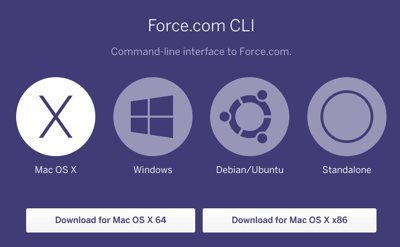
The first thing to do is download the CLI - you can do this from the home page at : https://force-cli.heroku.com/ - this has pre-built binaries for Mac OSX, Windows and Debian/Ubuntu. I’m a Mac user so any instructions/examples are based on OSX.
Screen Shot 2016 04 03 at 18 57 08

Clicking on the ‘Download for Mac OS X 64’ link downloads the ‘force’ application to my ‘Downloads’ directory. I clear this directory out regularly (yeah right, regularly being when I run out of disk space) so the first thing I need to do is move this to a safe place. I create a tools directory underneath my home directory and drag the file into that:

Trying it Out

Via the terminal (If you aren’t familiar with the terminal then I’d recommend following this tutorial from MacWorld) I can then test out whether the application works correctly 

> cd ~/tools
> ./force

and of course it doesn’t:

-bash: ./force: Permission denied

This is because files are downloaded without execute permission. To rectify this, execute:

> chmod +x ./force

Executing again now shows the (long) list of available options:

> ./force

Usage: force  []
 
Available commands:
   login     force login [-i=] [ ]
   logout    Log out from force.com
   logins    List force.com logins used
   active    Show or set the active force.com account
   whoami    Show information about the active account
   describe  Describe the object or list of available objects
   sobject   Manage standard & custom objects
   bigobject  Manage big objects
   field     Manage sobject fields
   record    Create, modify, or view records
   bulk      Load csv file use Bulk API
   fetch     Export specified artifact(s) to a local directory
   import    Import metadata from a local directory
   export    Export metadata to a local directory
   query     Execute a SOQL statement
   apex      Execute anonymous Apex code
   trace     Manage trace flags
   log       Fetch debug logs
   eventlogfile  List and fetch event log file
   oauth     Manage ConnectedApp credentials
   test      Run apex tests
   security  Displays the OLS and FLS for a give SObject
   version   Display current version
   update    Update to the latest version
   push      Deploy artifact from a local directory
   aura      force aura push -resourcepath=
   password  See password status or reset password
   notify    Should notifications be used
   limits    Display current limits
   help      Show this help
   datapipe  Manage DataPipes
 
Run 'force help [command]' for details.

Access All Areas

By executing ‘./force’ I’m asking the operating system to execute the script named force in the local directory (the ./ part). This is going to be pretty unwieldy if I have to provide the location each time, so the last thing to do to get set up is to add the tools directory to my path - if you chose a different directory name to tools, just alter the following commands to use your name.

The default shell on OSX is bash (bourne again shell, as it was a replacement for the venerable Bourne shell - this is both a blog post and a history lesson!). When you login (or open a new terminal window on Mac OSX) the bash shell executes the .bash_profile script from your home directory, if one exists, so this is the easiest way to update your path. 

Using your favourite editor (mine is vim, but that’s a bit like saying the developer console is your favourite IDE), open the .bash_profile file, from your home directory (/Users/<yourname>), or create one if it isn’t already there and add the following at the bottom:

export PATH=$PATH:~/tools

Save the file, then execute the .bash_profile script to update your current context:

> . ~/.bash_profile

Next, change to your home directory and execute the force command without a path to check all is good:

> cd
> force

and once again you should see the full output.

Congratulations - now you can run the force executable from anywhere without worrying about where it has been installed.

Logging In

Now that everything is set up, you can login to Salesforce via the CLI by executing :

> force login

This opens up a browser window for you to enter your credentials: 

Screen Shot 2016 05 08 at 08 26 08

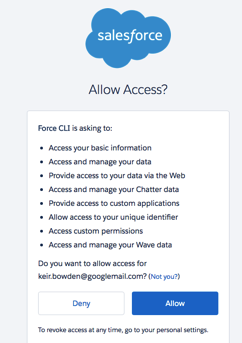
and authorise access via oauth:

Screen Shot 2016 05 08 at 08 26 30

(Note that this process involves a Heroku app communicating with a local web server to return the oauth token to the command line, which may be problematic if you are behind a firewall that you can’t configure or using NAT. See the end of this post for an alternative, non-oauth approach).

This is the number 1 reason why I use the Force CLI for deployments - it removes the need to store usernames and passwords on disk, which has always been my issue with the Force Migration Tool.

If you have a number of orgs its quite easy to forget which one you have logged into, which is where the logins command comes in handy, as it will show you all the orgs that you have logged in to and which login is currently active:

> force logins

Screen Shot 2016 05 08 at 08 33 17

Non-OAuth Authentication

If you can’t use the oauth mechanism described above, you can always fall back on supplying the username and password to the CLI via the following command:

> force login -u=<username> -p=<password>

While this is slightly better than storing credentials on disk, it does mean that if someone were to compromise your machine they’d be able to see the username and password in your command history. For example, after executing:

> force login -u=fake@fake.fake -p=Faking1t

If I then look at my command history

> history

This shows the credentials:

  685  force login -u=fake@fake.fake -p=Faking1t
  686  history

Luckily I can clean up afterwards and remove the command from my history, First delete the entry:

> history -d 685

then write the history to disk:

> history -w

viewing the history again shows that entry 685 has been replaced with the entry that was at 686:

685  history

Logging in to a Sandbox

The logins command supports production orgs, sandboxes and custom domains. To view the options, for this or any other command, execute ‘force <command> -help’:

force login -help

Usage: force login
  force login [-i=<instance>] [<-u=username> <-p=password> <-v=apiversion]
  Examples:
    force login
    force login -i=test
    force login -u=un -p=pw
    force login -i=test -u=un -p=pw
    force login -i=na1-blitz01.soma.salesforce.com -u=un -p=pw

That’s all Folks

This concludes getting started with the Force CLI. Assuming all went well you now have the CLI installed, in your path and you’ve been able to login to an org. In the next post I’ll take a look at interacting with your metadata.

Related Posts


Saturday, 7 May 2016

Salesforce - It's not just for Ladies

Salesforce - It’s not just for Ladies

Wit

Introduction

This week I (and many, many others - check the picture above!) attended the “An Evening with Ladies who Salesforce" event at Salesforce Tower in London, organised by the team behind the London Salesforce Women in Tech - Freya Crawshaw, Louise Lockie and Jodi Wagner. This was a vertical journey for me, as the BrightGen offices are on the 18th floor!

Stemettes

The keynote talk was from Anne-Marie Imafidon, Head Stemette. Stemettes are doing an amazing job of enabling the next generation of girls into STEM (Science, Technology, Engineering and Maths).  Note that I’ve chosen the word enabling rather than encouraging deliberately - part of Anne-Marie’s slot included a video from the Outbox Incubator, and its clear that these girls already have an enormous amount of interest and enthusiasm (and energy!) for technology and development. 

Panel Time

The second part of the evening was a panel discussion on career pathing in the Salesforce ecosystem, with an impressive panel lineup including Salesforce MVP Jenny Bamber, Certified Technical Architect Doina Figural (the first female CTA outside of the US and one of only three worldwide) and Salesforce EVP and GM of App Cloud, Adam Seligman.

I found this an enlightening discussion, as it covered a lot of areas that I’ve never really thought about before - planning where you want to be and structuring an approach to get there for example. My own “career” (which it has taken me a long time to accept that I have one, as opposed to a series of jobs) has tended to be more about following the tech that I’m interested in, so I’ve worked for a number of small companies that either haven’t made it or have turned into very different places from the one I’ve joined. When that has happened I’ve moved on to the next one, usually taking a pay cut and dropping down from a senior to a mid-level position while I learn the ropes.

Only once or twice, when this has happened in the midst of a recession for example, have I actually worried about whether I’d be able to find another position, so it was very interesting to hear from people who have had to take a very different approach to their career, purely because through an accident of birth they happen to be a different gender.

One of the questions from the audience was around how companies can attract more women to apply for their open positions - something very close to my heart as I’ve been on a long journey to attract the first female developer to BrightGen, which finally came to an end in early 2016. It wasn’t that we were interviewing females and rejecting them, but we were getting very few CVs, and understandably many of those that we interviewed weren’t keen on being the one and only female writing code. One  panelist’s answer was around what do you tell the recruitment agents in terms of the diversity that you want from the CVs that they send you. This resonated enormously, as it has never occurred to me that I have to do anything other than ask agents to send me their best CVs.

Its not just for Ladies!

So what was I doing there? The clue is in the name - An Evening with Ladies who Salesforce, not for Ladies who Salesforce! I wasn’t the only man either - there were three or four others outside of Adam on the panel and various Salesforce representatives. It was unusual, shall we say, being at a Salesforce community event in London where I was very much in the minority, but how dull would life be if everything was always the same.

So I’d recommend these events to any men in the Salesforce ecosystem, especially those hoping to lead - its vital to understand things from the viewpoint of others, and the best way to achieve this is to listen to others. If you are worried about being the only man there, tough! We expect the women that attend the developer events to be able to handle being in the minority (and at times flying solo), so we should be able to handle this when the roles are reversed.


Saturday, 16 April 2016

The Hurt Locker

The Hurt Locker

Locker

Introduction

There’s a new Sheriff in Lightning Town and its name is the LightningLocker. The purpose of this is to tighten up security around Lightning Components, something that has been mentioned in the documentation, usually along the lines of "you shouldn’t do this, and while it might work at the moment, we may stop it in the future”.  Well the future is starting in Summer 16 when the LightningLocker becomes available as a critical update for existing orgs and the default for new orgs. I’ve always suspected the Lightning Components present a real concern for the Salesforce security team, as our JavaScript is co-existing with Salesforce JavaScript and has the same powers, well not any more! This is something to be welcomed, not only from the perspective of stopping nefarious JavaScript from causing problems, but also because a lot of developers will be learning JavaScript on the jon as they develop their components, and its pretty much a given there will be some unintended consequences which may be severe.

But What if I Really, Really Need To ...

Now obviously I’m not Salesforce, so I can’t say for sure if they will make any exceptions, but I’d be pretty surprised if they do. The Locker isn’t closing down loopholes because they are worried the world may be blinded by the sheer awesomeness of your solution. Loopholes are being closed because they are a security risk, and whitelisting applications to punch holes in security is unlikely to make customers feel safe.

It’s So Unfair - I Hate You!

It isn’t really - we all knew this was coming. I view it in a similar vein to JavaScript in Home Page Components - if you were told not to do something and did it anyway, don’t expect any sympathy when the capability is taken away (and yes, I know I was wrong about Salesforce providing a replacement - that should have been customising standard pages with Lightning Components which has taken way longer to arrive than I expected - currently still in pilot for record home pages!). That said there are a couple of things that concern me:

  1. This should have been in place from the start
    It’s all well and good putting warnings in the docs, but out in the real world people have hard deadlines and requirements, and not everyone reads the docs before making a questionable decision. I’m sure there are some customers out there who have components where the original developer has since departed or was never on staff. If their components are using anything that the Locker takes issue with, they could lose key functionality without the in-house skills to replace it.

    If you think about it, this is like carrying out a Salesforce implementation and giving every user System Administrator privileges with a warning not to rely on them, then coming back after a year or two and changing them to a Standard User. While you can say that you warned them, and its not your fault if their business processes relied on their elevated privileges, you aren’t going to be popular.
     
  2. Should we expect breaking changes?
    I’m raising this as its something which I think I’m likely to fall foul of. To use inheritance in Lightning Components I’m making  use of the component.getDef() method to access the ComponentDef and then executing the getHelper() method. However, ComponentDef has been removed from the Lightning documentation app, which suggests that it isn’t supported - per Skip Sauls reply in this thread

    "JavaScript source is not documentation, and does not indicate support. Please refer to the docs for the official API. Use of unsupported components, events, or APIs is a violation of the terms of service, and your code may break in a release, including patch."

    But here’s the rub - this did appear in the documentation, and then it went away. So where does that leave me? I’ve raised this on Stack Exchange where I know a lot of the Lightning team lurk, so if I get an answer I’ll update this post.

  3. I Want Workarounds!
    Thus far I’ve seen mentions of tools, blogs, articles and Trailhead modules to help us get to grips with this. What I haven’t seen mention of is alternatives. If I’ve gone to the open source Aura project to figure out how to do something, and that turns out to be a private API, I’d like a workaround providing equivalent functionality rather than just being told I can’t use it any more. I only resort to the Aura source if the documentation app isn’t helpful (sadly this happens more than you’d expect, as there are still a number of entries that just have the method signature/component name and no additional information).

There’s an app for that 

If news of the Locker makes you fear for your code, there’s an app (or more accurately, a command line tool) that can give you some succour - the Lightning CLI. I’ve run this on some of my components and it has raised a few things that I need to take care of (although doesn’t have a problem with ComponentDef mentioned above, but I’m not reading too much into this at the moment).

The Hurt Locker? Seriously?

Like I could leave that alone!

Related Links


Wednesday, 13 April 2016

The Case of the Missing Mascot

The Case of the Missing Mascot

Trailhead module wheres astro

Introduction

There's just over a day to go to help the Trailhead team in the search for missing mascot Astro, so if you haven't already pitched in, get yourself over to :

https://developer.salesforce.com/trailhead/module/wheresastro

where you can earn the badge and even get the chance to win a prize*

Where’s Astro?

This is a somewhat different module to the others - rather than learning about a particular feature of Salesforce and then answering some questions or completing a challenge, you are instead helping to solve a mystery (where is Astro) by searching for clues in the Trailhead content.

The clues will direct you to other modules, so if you don't have the badges for those (really, you don't have them all?) its a perfect opportunity to improve your Salesforce knowledge while investigating. If I'd been setting this up we'd have to complete the modules, but the Trailhead team were clearly overwhelmed with worry about their missing mascot and went easy on us.

Of course, it wouldn't be Trailhead if you didn't have to carry out some setup and configuration,so you can expect to track the progress of your investigation in a Salesforce Developer Edition, much like Sherlock Holmes would, if the modern version wasn't on the BBC and thus not allowed to advertise products :)

There's no coding involved, and the setup is pretty straightforward, so this is very much a module for all (or no!) skill sets - when a mascot's life hangs in the balance you need all the help that you can get, especially people that aren't averse to leaving their computer and going outside!

Keeping Everyone in the Loop

One aspect that I particularly liked were the tweet buttons at various points that posted out cryptic updates about progress:

Screen Shot 2016 04 13 at 16 57 23

a great way to get others interested and let the concerned population know that the search continues at full steam. Continuing with the Sherlock Holmes association, this is the modern equivalent of the agony columns that featured in many of the stories.

Leaving Everyone Hanging

The first rule of earning the Where’s Astro badge is that you don’t talk about the outcome of the investigation. If you don’t complete this module yourself you’ll have to wait until the Trailhead team spills the beans some time after the competition closes, and I hope you can live with yourself in the meantime.

As mentioned earlier, the search finishes on April 14th, so get your magnifying glass and deerstalker hat and join in while there is still time.

* Confession time - I didn't realise this was a competition until earlier today. What happened, as is always the case, is that I saw a new badge was available and I had to have it :)

Saturday, 9 April 2016

Fantasy Trailhead #1 - Maximum Damage

Fantasy Trailhead #1 - Maximum Damage

(Note - this is a humorous post - if you follow any of the advice below your experience will be sub-optimal, but also hilarious, so make sure to let me know just how bad things turned out)


Damage

Introduction

After finishing up my 102nd Trailhead badge a couple of weeks ago, I started thinking about badges that I’d like to see in the future. Before long I’d changed to thinking about badges that we’re never likely to see, which are awarded for doing things badly as opposed to well. To that end, allow me to present my first Fantasy Trailhead - Maximum Damage

Mdbadge

A Trail for Everyone

As everyone involved in implementing or maintaining a Salesforce instance has an opportunity to cause damage, this Trail covers the whole range of skills - Admin, Developer and Architect. The aim is to answer questions/implement challenges in the way that would cause maximum damage to an instance. 

Clicks not Solutions

Admins are every bit as powerful as developers when it comes to breaking Salesforce and in the Maximum Damage trail they would be expected to understand not just the terrible impact of their changes on the Salesforce platform, but also the deleterious  effects on their business as a whole. Here’s an example question:

A user would like a mechanism to ensure that they cannot save a Contact record without populating the Other Phone number. No other users are expecting this change and in the majority of cases this information will not be available”.

In a normal universe this request would be rightly rejected, but in the Maximum Damage Trail we leap on it with gusto. The answer options as as follows, along with an explanation of why the are not the right (or the most wrong!) solution:

  1. Add a validation rule that checks if the Contact is being created by the particular user that requested the change, if it is then ensure the Other Phone field is populated.
    This is a reasonable solution to the problem, and therefore not what we are looking for in Maximum Damage - there are no additional unwanted features and other users won’t even know the change has been applied.
     
  2. Make the Other Phone field required on the Contact page layout
    This is better, as users who do not want this change are being affected by it and their working lives have been made a
    little more difficult. One downside to this is that no existing integrations have been broken, as this is only affecting the UI.
     
  3. Make the Other Phone required through Field Level Security
    Now we are starting to see some serious damage - integrations and automated loads of Contacts are likely to be impacted, but this is still relatively localised to Contact creation. Is there any more that can be done to cause problems for the wider business.

  4. Make the User a System Administrator so that they can make the Other Phone required through Field Level Security
    This is taking the long view with regard to ruining your implementation - all the downsides of answer 3, plus the user is now empowered to make whatever changes they like to any part of the system. hopefully without any idea of the impact of their changes. It might seem that we’ve taken this as far as we can, but things could be worse.
     
  5. Share your username and password with the user so that they can make the Other Phone required through Field Level Security
    This is the gold standard - all of the downsides of the previous options, plus a lack of accountability. When the user makes the inevitable badly thought out change, nobody will know it was them and it will look like you did it. This will muddy the waters nicely, as your co-administrators will assume you had a good reason and hopefully spend valuable time trying to understand why.

 Future-Resistant Code

The Developer module in the Maximum Damage Trail is designed to test your ability to produce the worst possible coded solution to a problem that didn’t need code in the first place. Rather than taking the YAGNI (You Ain’t Gonna Need It) approach, not worrying about future requirements, solutions here use a YAGGI (You Ain’t Gonna Get It) approach, producing code that cannot be extended in the future.

This module is more challenge based, and looks for solutions with the following attributes:

  • Replicating standard platform functionality, badly.
  • Use of hardcoded ids wherever possible
  • Only capable of handing a single record, to ensure that data migration is as painful as possible
  • SOQL queries and DML statements inside loops (preferably loops that are nested for no good reason).
  • No unit test coverage
  • Any inputs other than those specified in the challenge would cause the code to fail
  • Consuming as many governor limits as possible without breaching, to ensure that this cannot be added to an existing business process with code.
  • No error checking or validation of inputs
  • Empty catch blocks should be liberally used to swallow any exceptions and plough on regardless.

Technical Incompitecht

The architect module of Maximum Damage looks for decisions that will not only inhibit scale, but also maximise costs throughout the lifetime of the implementation. Fittingly, I’m not sure how well this would scale from a marking perspective, as there would be some subjectivity here so they would probably need manual marking. The Maximum Damage Trail also takes down the author!

Key features of the solution architecture include:

  • Overloading a standard object to provide custom functionality
    This would involve creating a number of new fields which have no relation to the standard object and removing any standard fields from the page layout. Record types must be avoided, as this provides an unwanted degree of separation. Using a standard object in this way maximises the license cost, and the standard object should preferably be one requiring an additional, paid, feature license.
  • Using a Community to do a Force.com Site’s job
    It goes without saying that named Partner Community licenses should be used, especially if high volumes are required as this will guarantee a scalability problem before too long.
  • Complex security and sharing
    Org wide defaults should always be Private. If public access is required this should be implemented by multiple sharing rules at the lowest possible level of the role hierarchy possible. Territory management is a must, unless the requirements indicate territory management, in which case it should be avoided at all costs.
  • Little or no Change Control
    An architect should not miss the opportunity to make the development lifecycle harder than it needs to be, so a change control process involving as manual replication of configuration and hand-deployment of code via the Force.com IDE will score highly.
  • Centre of Negligence
    The antithesis of a Centre of Excellence, an architect is expected to identify a governance framework that leads to isolated decision making with no idea of the needs of other business units or the organisation as a whole.

Marge my friend

Only Joking … Or Am I?

While I put this post together for a bit of fun, I think there is value in being able to identify the worst solution from a selection of bad options. Most test/exam questions have one correct answer and the others, while plausible, will be flawed in some way. This means that you can figure out the correct answer even if you don’t know it (I’m fond of quoting Sherlock Holmes in this regard - “When you have eliminated the impossible, whatever remains, however improbable, must be the truth”).

Being presented with an entire list of flawed options and having to choose the one which will cause the most problems both now and in the future requires an in-depth understanding of how customisations affect the Salesforce platform, and how seemingly minor decisions can cause major problems in the future.

I have a couple more ideas for Fantasy Trailhead, so stay tuned for more posts so set you on the path to failure.


Saturday, 19 March 2016

Deploying Lightning Components - Go Big or Go Missing

Deploying Lightning Components - Go Big or Go Missing

Gobig

Introduction

Another week, another discovery around Lightning Components. This week its around deployment of components via the Salesforce Metadata API. I currently use the Force CLI wherever possible, as it uses OAuth to access the target org rather than requiring credentials to be stored on disk where they are potentially at risk. The tool itself doesn’t affect the behaviour, but its the one that I’ll be using for the examples.

After a recent deployment, we found that we were missing a JavaScript element from the bundle which broke a component. I can’t take the credit for identifying the underlying issue - that was Justin Baidoo-Hackman, one of my colleagues on the BrightMedia team.

Example Component

The sample component for this post is actually an application. Its very simple, and just asks the user to press a button which outputs an alert:

Screen Shot 2016 03 19 at 15 28 36

The bundle contents are as simple as you would expect. The application markup:

<aura:application >
    <h1>Deployment Test Application</h1>
    <p>Click the button below to execute a controller method</p>
    <button onclick="{!c.clicked}">Click Me!!</button>
</aura:application>

the controller:

({
    clicked : function(component, event, helper) {
        helper.clicked();
    }
})

and finally the helper

({
    clicked : function(component, event) {
        alert('You just clicked!');
    }
})

Deployment Process

I’m currently writing my Lightning Component code via the Developer Console (I know - I’m as surprised as you are!), which means that I have to retrieve them from the developer org and then deploy them to the target (usually customer) org. This is pretty easy with the Force CLI. First I login via the ‘force login’ command, which opens a browser window for me to login and authorise access to my org:

Screen Shot 2016 03 19 at 12 41 23

Once I have completed the login process, I can retrieve the Lightning Components metadata via the ‘force fetch’ command, specifying Aura as the metadata type to fetch:

Screen Shot 2016 03 19 at 12 43 52

This retrieves all of my Lightning Components and stores them in a metadata/aura subdirectory under my current directory.

To deploy the Lightning Components to my target org, I copy the components in question to a src/aura subdirectory and create a package.xml file describing what I want to deploy:

<?xml version="1.0" encoding="UTF-8"?>
<Package xmlns="http://soap.sforce.com/2006/04/metadata">
  <types>
    <members>*</members>
    <name>AuraDefinitionBundle</name>
  </types>
  <version>35.0</version>
</Package>

and finally I deploy the components using the ‘force import’ command, specifying the src directory :

Screen Shot 2016 03 19 at 16 25 25

which all works fine.

Deploying Part of the Bundle

Obviously the deployment process that I use for real applications isn’t quite this simple, and I have a number of scripts to automate things. One feature that the scripts support is to deploy only those files that have been changed since the last deployment - when there are three or four thousand elements, you don’t want to deploy the whole lot each time - and it turns out that this was the cause of the broken component. The markup and controller had changed, but the helper hadn’t, and when only the changed files were deployed, the rest of the bundle disappeared.

To demonstrate this I copy just the application and controller, but not the helper, to a new subdirectory - srcgap (source with a gap - I’m so creative!) and execute the deployment again. Note that there are no issues and the number of successes is the same:

Screen Shot 2016 03 19 at 16 33 58

however if I execute my application again and click the button, I get a different result:

Screen Shot 2016 03 19 at 16 35 20

Looking in the developer console confirms that the bundle no longer contains a JavaScript helper.

A Bundle is a Single Metadata Component

I always find this type of behaviour unexpected when deploying, as these deployments are additive unless you specify a destructive changes file. The explanation, though, is simple -  an AuraDefinitionBundle is a single metadata component, even though it encloses multiple files. So whatever I deploy replaces the existing bundle with that name, rather than merging the contents of the new component (the changed application and controller) with the contents of the existing component (the application, controller and helper).

At the risk of sounding like a UK politician, let’s be clear that this isn’t a bug - the metadata API is working in the intended way. The upshot of this, as the title of this post states, is that if you don’t go big and deploy the whole component, some of your code goes missing. 

Related Posts


Thursday, 10 March 2016

Lightning Components - It's Inheritance, Jim, But Not As We Know It

Lightning Components - It's Inheritance, Jim, But Not As We Know It

Override

Introduction

Continuing the saga of developing Lightning Components for our BrightMedia product, I’ve been trying to make use of inheritance in order to be able to change the layout and styling of a bunch of components solving similar problems through a single super-component. The Lightning Components Developer’s Guide states that:

"A sub component's helper inherits the methods from the helper of its super component. A sub component can override a super component's helper method by defining a method with the same name as an inherited method." 

which all sounded very straightforward, but actually wasn’t.

The components in question were pretty complex, but to investigate what was actually happening I created some very simple components, initially just a super and sub component. And I was supposed to be on leave for the day.

Is it a bird? is it a plane? No its Super Component

The super component defined the markup and had the extensible attribute set to true to allow inheritance: 

<aura:component extensible="true">
    <aura:attribute type="Integer" name="clicks" default="0"/>
    
    <p>Hi, I'm supercomponent. Click the button below to execute a
    helper method</p>
    <button onclick="{!c.updateClicks}">Click Me</button>
    <p>This button has been clicked {!v.clicks} times.</p>
</aura:component>

The super component controller has a single method - updateClicks - that is called when the button is pressed: 

({
    updateClicks : function(component, event, helper) {
        helper.updateClicks(component, event);
    }
})

and the helper has a single method - updateClicks - which increments the 'clicks' attribute

({
    updateClicks : function(cmp, ev) {
        var clicks=cmp.get('v.clicks');
        clicks++;
        cmp.set('v.clicks', clicks);
    }
})

Using this component inside an application works as expected and every click of the button updates the number of clicks messages:

Screen Shot 2016 03 10 at 15 26 56

Not very exciting, but stick with me as it will get more interesting.

On a Sub Mission

I then create a sub component, which extends the super component by specifying the extends attribute: 

<aura:component extends="c:SuperComponent">
</aura:component>

This component doesn't have a controller, just a helper that overrides the updateClicks method, to add 10 to the clicks count

({
    updateClicks : function(cmp, ev) {
        var clicks=cmp.get('v.clicks');
        clicks+=10;
        cmp.set('v.clicks', clicks);
    }
})

and as far as I was concerned, job done. Updating my application and using the sub component rather than the super component, I clicked the button and the behaviour was exactly the same as before - the counter incremented by 1.

(In fact what actually happened was that I forgot to update my application, but that spoils the image of infallibility that I carefully cultivate in these posts!).

After reconfirming that my syntax, attributes etc were correct, I set about trying to understand what was happening. 

You’re Not My Real Helper, You Can’t Tell Me What To Do!

After a few blind alleys, I added the following line to my controller method:

console.log('Component = ' + JSON.stringify(component));
console.log('Helper method =' + helper.updateClicks);

and got the following output:

Component = "{\"descriptor\":\"markup://bblightning:SuperComponent\",\"globalId\” …}" 

Helper method =function (cmp, ev) {
        var clicks=cmp.get('v.clicks');
        clicks++;
        cmp.set('v.clicks', clicks);
    }

Which showed that the component being used by the framework wasn’t the subcomponent at all, but the super component! This sort of makes sense when you consider that there is only one controller, and that lives in the super component.It isn’t the way that inheritance works in an OO language such as Java, where the controller would be available as part of the sub component, but it is the way that Lightning Components work so I had to accept that and move on.

O Helper, Helper! Wherefore Art Thou, Helper?

Digging through the Lightning JavaScript reference documentation, I came across the following method on the component object:

getConcreteComponent ()

Gets the concrete implementation of a component. If the component is concrete, the method returns the component itself. For example, call this method to get the concrete component of a super component. 

So it appeared that it was up to me to sort out the correct component in the controller, which could be handled by a one line change:

var cc=component.getConcreteComponent();

and this worked exactly as expected - logging the value of cc to the JavaScript console showed that the concrete component was indeed an instance of SubComponent. All I needed now was to get the concrete component’s helper, and I could invoke the appropriate subcomponent helper method. Once again, it all sounded simple.

Sadly, reading through the documentation showed no getHelper() method on the component object, nor anything that obviously would allow me to derive the helper. The reference documentation is okay if you know what you are looking for, but searching for method names doesn’t return any results, and I wasn’t looking forward to scouring every page. Then I remembered that aura is an open source framework and the source is available on github, which has pretty good repository search tools. 

Executing a search for getHelper, not only showed that there was a method available, it also returned a couple of results that were perfect examples of how to use it:

helper = component.getConcreteComponent().getDef().getHelper();

the getDef() returns the ComponentDef object for the component, which exposes a getHelper() method, which gives me access to the helper. My controller method could now determine the correct helper and execute the method:

updateClicks : function(component, event, helper) {
    console.log('Component = ' + JSON.stringify(component));
    console.log('Helper method =' + helper.updateClicks);
        
    var cc=component.getConcreteComponent();
    var cchelper=cc.getDef().getHelper();
    cchelper.updateClicks(component, event);
}

back to my application, and things now worked as expected, adding 10 to the clicks count every time I clicked the link. Finally some good news!

Subbing the Sub

Something I needed in my real-world application was the ability to have a SubSub component, that extended a Sub component that in turn extended a Super component. The Lightning Components Developer’s Guide was a little ambivalent about this, saying that a component can extend one extensible component. This can be read that:

  • multiple inheritance is not supported
  • once a single level of extension had taken place, no further extension is possible

After my inheritance fun and games, I wasn’t taking any chances, so enter SubSub Component, which was much the same as SubComponent, but added 100 to the clicks count. Updating my application to use the SubSub Component and clicking the button added 100, so the good news continued, which is most unusual in my experience.

Ever Decreasing Circles

The other scenario I was keen to understand, not because I needed to but because I was curious, was what happened if I called a super component method from the sub component, and that then called a method that was present in the super component but overridden in the sub component. So in my super component I have:

super : function(cmp, ev) {
    this.delegate(cmp, ev);
},
delegate : function(cmp, ev) {
    alert('In SuperComponent Delegate');
}

and in my sub component I have:

doStuff : function(cmp, ev) {
    this.super(cmp, ev);
},
delegate : function(cmp, ev) {
    alert('In SubComponent Delegate');
}

When I execute doStuff() in my sub helper, it will call the super() method in the super helper. What I wasn’t clear about was which delegate() method would then be called - the one from the super helper or the overridden one in the sub helper. What I hoped would happen is that the overridden method in the sub helper would be invoked, as that is how I expect inheritance to work - I shouldn’t end up in an instance of the super helper just because I execute a method that I’ve inherited. The good news is that’s exactly how it works! More good news - this was turning into a great day.

In Conclusion

Simply put, inheritance works as expected as long as you start your processing from the sub component.

Where its not intuitive is when you start the processing from the super component. The controller only knows about its own helper, rather than that of any others that may have inherited from it, so it can only execute methods on its own helper. If you want use inheritance techniques from the super component controller, you need to help it out and find the correct helper.

Simply put (again), if you have any helper methods that can be overridden, and you execute any of these from the super controller, you need to make sure that your super controller finds the correct helper and uses that.

Just One More Thing

Don’t use controller inheritance, tempting though it is. It works now, but may not in the future, and it will take you ages to realise that and figure out why your funky inheritance model no longer works. From the Developer’s Guide:

We don't recommend using inheritance of client-side controllers as this feature may be deprecated in the future to preserve better component encapsulation. 

(Just one more one more thing : the title of this post is a play on the “It’s life, Jim, but not as we know it” that Mr Spock said to Captain Kirk in Star Trek, which never happened!)

Related Posts